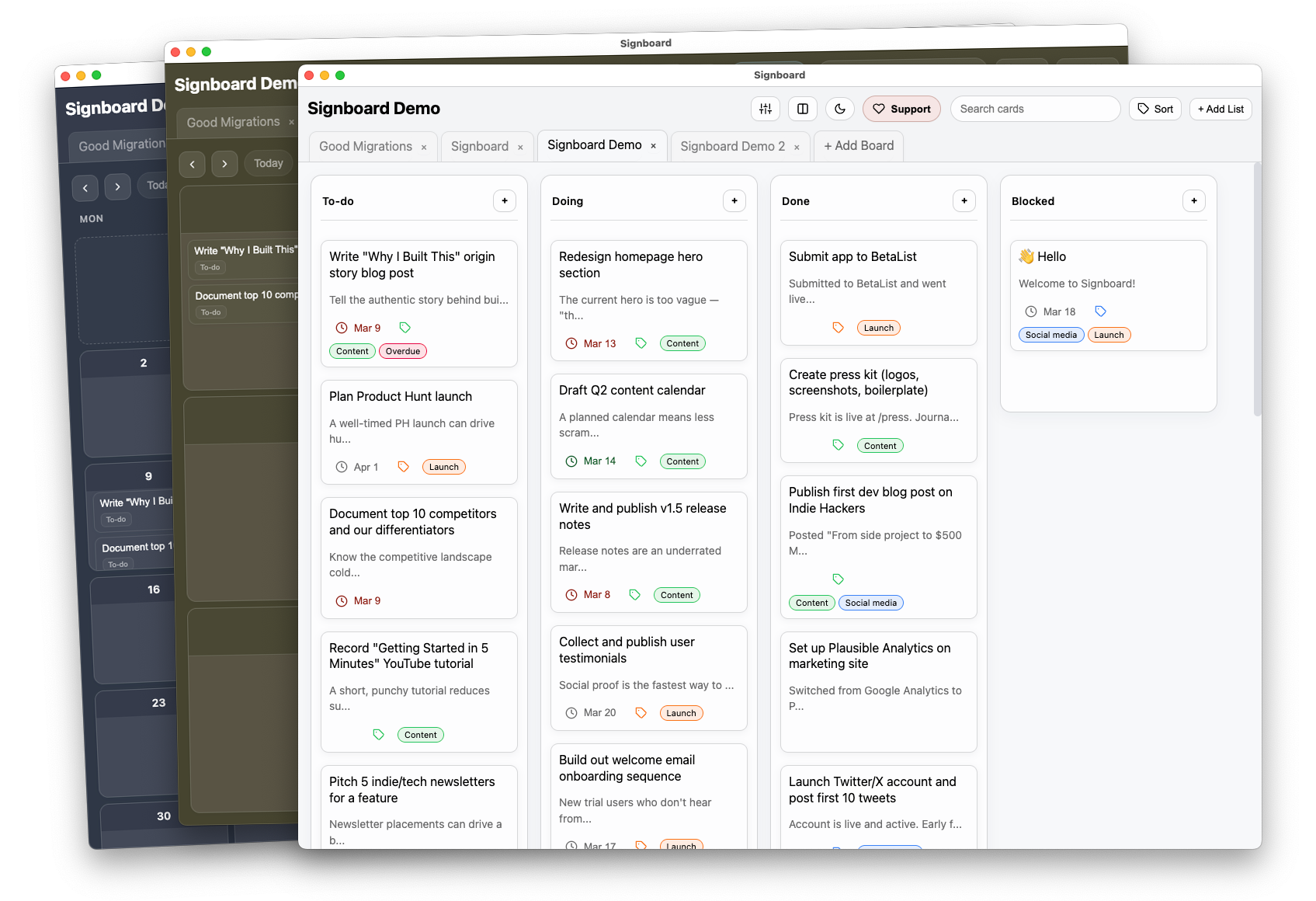
Open source. Local-first. No account.
Signboard is a kanban app that writes Markdown files.
Your work stays private, portable, and scriptable.
Runs on macOS, Linux, Windows, ARM, x86.
View more download options.
Signboard is free for personal use ( tip jar ).
$49 one-time payment for commercial use.

Why build Signboard?
I built Signboard to get more done and not be dependent on the cloud.
I was inspired by the “file over app” philosophy and my love of kanban boards.
Each card in Signboard is a Markdown file in a folder on your computer. As you move cards from one list to another the Markdown file moves between folders.
In a world of agents, CLIs, and MCP servers you can directly interact with all of your Signboard data seamlessly on any desktop platform.
Turn your Signboard cards into executables.
Click to zoom
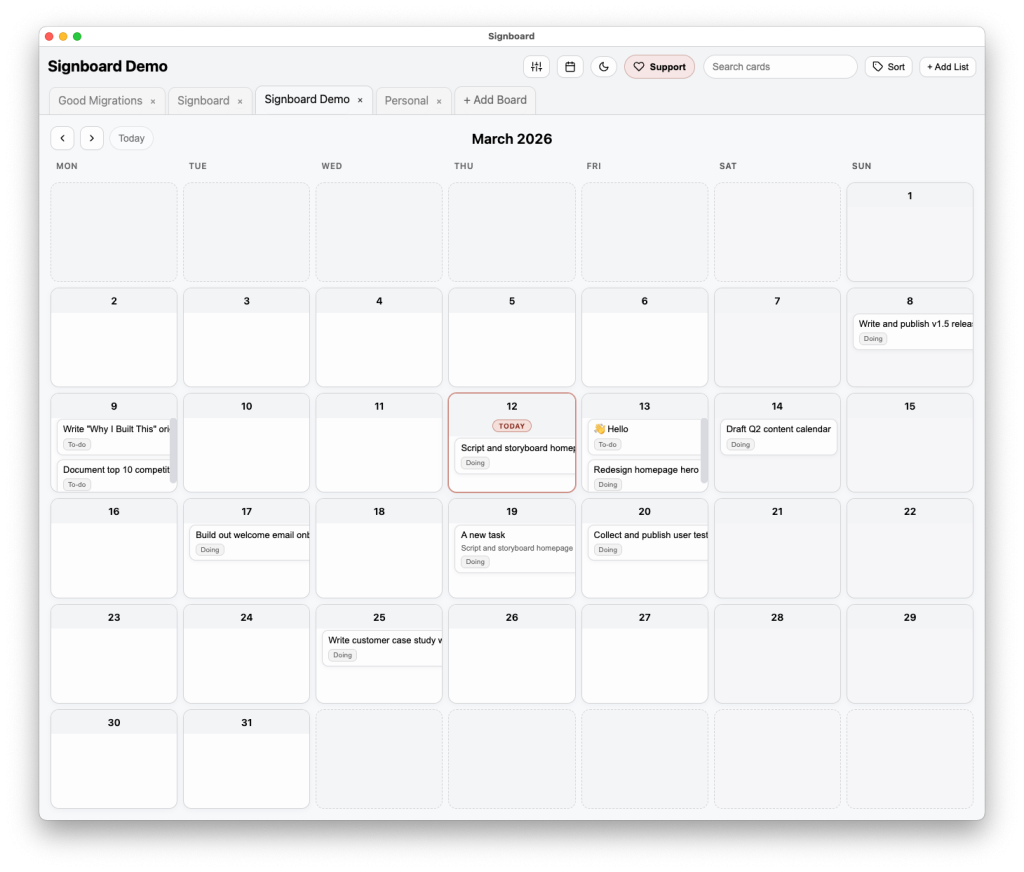
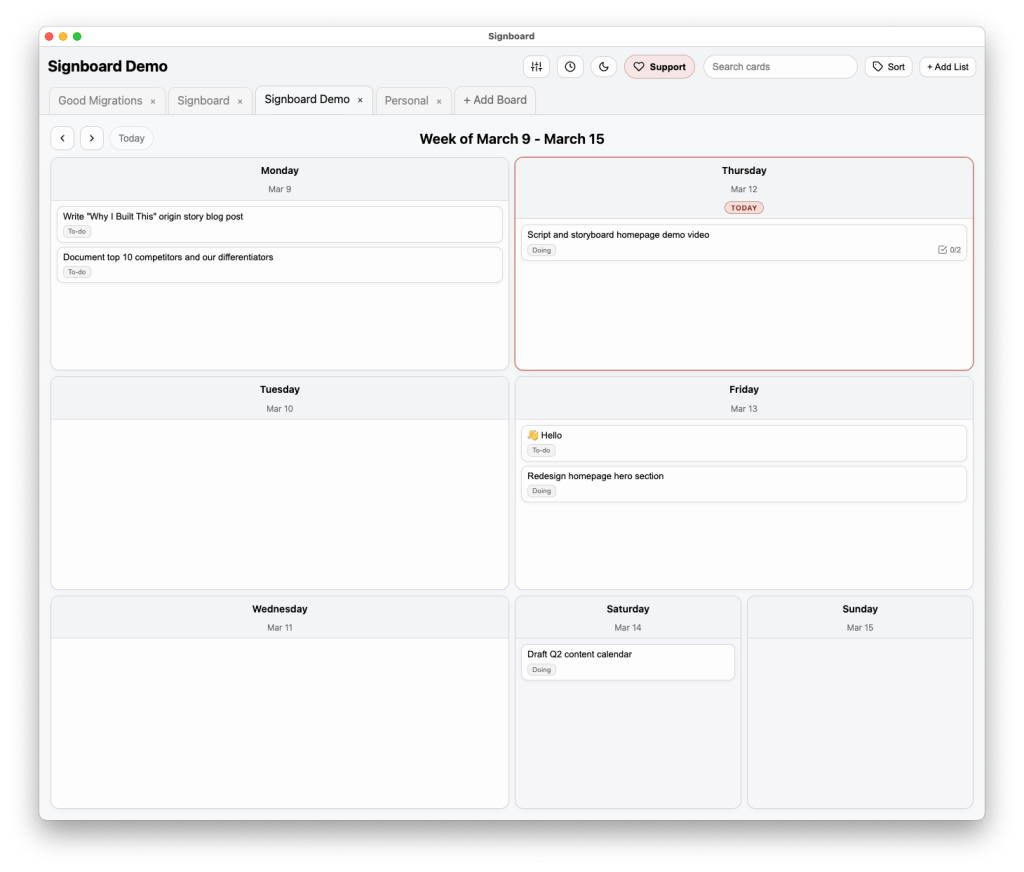
Calendar and This Week
In addition to the default kanban board view, Signboard also has a Calendar and a unique “This Week” view that displays cards and tasks that are due on a specific day.
Features
A little something for everyone.
Due Dates
Cards and tasks on cards can have due dates.
Custom Labels
Add as many labels as you need, each with their own color.
Multiple Boards
Open multiple boards in tabs to manage more than one project at once.
9 Color Schemes
Each board can have a personality all its own.
Import from Trello
Quickly import Trello board export file and retain a ton of data.
Import from Obsidian
Supports all of the popular kanban community plugins.
Import from Tasks.md
Support for one of the most popular kanban apps on GitHub.
Share cards
Share entire cards with other apps.
Notifications
Get notified when cards or tasks are due.
MCP Server
Interact with your boards, lists, and cards using the LLM of your choice.
CLI
Use signboard from your terminal, or let agents use it.
Keyboard Shortcuts
For those that like to keep their hands in one place.
Duplicate cards
Create card templates and quickly duplicate them.
Archive cards & lists
Clean up the clutter by archiving things you no longer need.
Dark Mode
A must for those late night lofi sessions.
Search & Sort
Quickly find the cards you’re looking for.
Install Signboard
New releases every Friday.
Signboard is free for personal use ( tip jar ).
$49 one-time payment for commercial use.
devlog
-
Signboard 1.2.0 adds restore from archive and three new color schemes
What do you do at 5am on a Friday? I release new versions of Signboard. Signboard 1.2.0 includes the following improvements: Until this release, Signboard’s archive was a black box. But now you can archive cards, lists of cards, and entire lists and be able to restore them to exactly where they were or somewhere
-
Signboard 1.1.0 adds Trello and Obsidian import, new color schemes
This morning I released Signboard 1.1.0 which includes Trello and Obsidian import, new color schemes, the ability to archive entire lists of cards (and the list itself), and other improvements. Importing from Trello was always possible (but only partially supported). Now Signboard can import far more data from Trello board exports. The Obsidian import works
-
Small detail in Signboard… as you drag a card it begins to slightly tilt in the direction that you’re dragging. Makes me happy. Signboard 1.1.0 is coming tomorrow and it will include curated color themes (so aesthetic) and importing from both Trello and Obsidian. And a few other nice new things.
-
Signboard has had a hidden secret from the beginning, you can import data from Trello. Starting in 1.1.0, which will ship this Friday, that feature will no longer be hidden. Oh, and you’ll also be able to import from Obsidian and its leading community kanban plugins also.
-
John O’Nolan on Ghost’s CLI
John O’Nolan added a new CLI to Ghost called ghst: We’ve spent 10+ years focusing on having a clean, well designed interface for Ghost. It’s something we care a lot about, and spend a lot of time on. But within about ~1hr of using Ghost via Claude/CLI, it was hard to imagine going back to
-
Giles Turnbull on Signboard
Giles Turnbull: Colin Devroe released Signboard, a lovely little local kanban board app for your Mac. Each board is just a folder, and each card is just a text file, and when you move cards, it moves files. So deliciously simple. 😊 Thank you Giles.
-
Signboard is officially released
In September 2025 I wrote about Signboard and had started scratching away at making an app that I had wanted for a long time. Since then, I’ve been using the app and I’m so happy that it exists and it is really fun to work on. At each opportunity, I’d add a feature, fix a