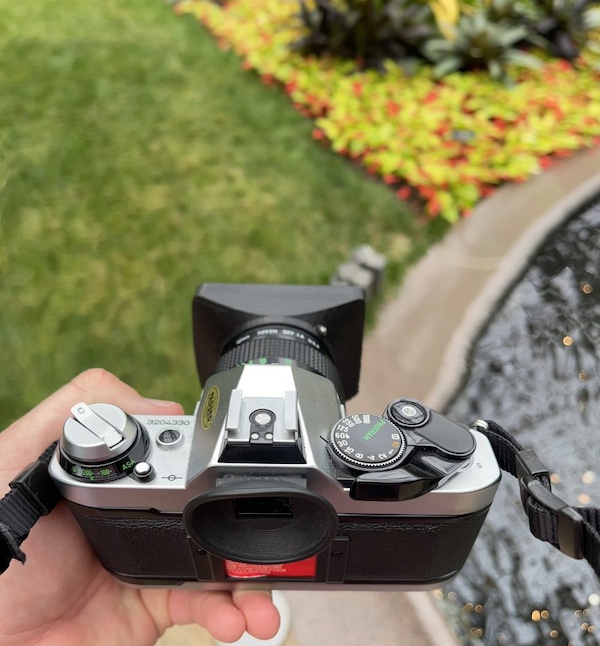
Tag Archives: camera

Camera+ adds iPhone 5 low-light support »

October 4th, 2012

Scott Meinzer at Camera+:

“Apple has added the ability for the sensor in the iPhone 5 to take pictures at 4 times the sensitivity. If you’re a camera buff this means the ISO can go from a limit of 800 before, up to 3200 now!”

Camera+ was always too slow to use on my iPhone 4. Since upgrading to the iPhone 5 Camera+ has made its way onto my main Dock. I’m glad for this update.

One quibble, though, would be that I wish Camera+ would save its photos directly to my Camera Roll rather than to its own Library.

Hidden iOS 5 feature: Panoramas.

November 8th, 2011

For those of you that jailbreak your phones there is a hidden feature in iOS 5 that allows Camera.app to create panoramic images.

This isn’t worth jailbreaking for. There are plenty of affordable and good panoramic applications in the App Store and obviously Apple wasn’t happy enough with this feature to include it. So it probably isn’t nearly as good as the apps you can get for just a few bucks.

The iPhone 4S: the most popular camera in the world

October 5th, 2011

Given that the iPhone 4 is already the leading camera in use by Flickr users this may seem like a no-brainer but I believe that, in a relatively short period of time, the iPhone 4S will be the most popular camera in the world.

A little over a year ago I wrote about how it was getting very difficult to choose which camera to use in a given situation. The iPhone 4′s camera was good enough for almost every circumstance I had run into and so the convenience and speed of using the iPhone 4 over a DSLR made for a tough choice.

With the iPhone 4S that decision just got even harder. The iPhone 4S now has an 8MP f/2.4 camera that is also capable of shooting 1080p HD video (the iPhone 4 records in 720p). For any photographer that still pulled out their DSLR over the iPhone 4 they may find it a little easier to use the iPhone 4S. That is why I think the curve to popularity will be a very steep, up-and-to-the-right graph. More serious photographers will use the iPhone 4S then did the iPhone 4.

Time will tell if I’m right. I’d guess, 12 months.

Take panoramic photos with your iPhone using Pano

November 10th, 2008

A panoramic view of the 5th Ave. Apple Store in New York City.

The iPhone’s camera has been one of its least regarded features. The built-in camera is only 2.1 megapixels, performs poorly in low-light, and has a very limited field of view.

All of that being said, you can pour through Flickr’s global tag of iPhone and, sort by Most Interesting, and find some photos that you will be amazed that they were taken with an iPhone. I know I have quite a number of photos that I’ve taken with my iPhone that I’ve been pleasantly surprised by.

The three problems I mentioned are not easily fixed. The fact that the iPhone is only 2.1 megapixels is, as far as I know, impossible to change until Apple releases an updated iPhone. The iPhone’s low-light performance can sort of be rectified by, well, changing the level of the light with either a flash, a light, or perhaps positioning your subjects nearer to a light source like the light shining through a window.

The field of view, however, is something that many are trying to rectify.  Heck, my iPhone macro lens (video) is an example of trying to change the field of view on the iPhone. There are also lenses that are being released by real third-party accessory manufacturers.  But, you can also tackle this problem with software.

Pano, from Debacle Software, is an iPhone application that allows you to shoot four consecutive photos which it will then merge together as one large panoramic photo. The best feature of Pano is not just that you can do this but how you do this. As you are shooting Pano shows you the right-most section of the previous photo so that you are able to line up each shot with the last.

The results are pretty amazing. Here are some of mine. Here are some of my friend Justine’s. And here are some of the world’s.

Lost. Found. Returned.

August 29th, 2008

A really great story published on the Flickr Blog the other day.

As it turns out, some one lost a camera, some one found the camera, and then someone went to great lengths to return the camera.  After turning the camera into police, and they not finding the owner, they gave it to the person that found it.  So the woman that found it posted a few of the photos online and asked for help in figuring out who owned it.  After some expert sleuthing, the owners were found and the camera returned.

Source: “I found a camera…”. And the Flickr Group discussion thread.

Video: The iPhone’s geo-enabled camera

July 11th, 2008

The iPhone’s geo-enabled camera, whether you’ve upgraded to an iPhone 3G with built-in GPS or not, now records the location ((A rough latitude and longitude.)) that the photo was taken.

I have a few problems with the way this has been implemented on the iPhone and also how it works on my Macintosh.  But before I begin bashing Apple – I do want to say that I’m fairly optimistic that other applications will use this feature much better than Apple has.

A few quick notes and then you can watch the video below.  First, the iPhone asks (though I didn’t manage to capture this on “film”) if you’d like to record the location the photo was taken.  It doesn’t say why, how, or where to view this information.  It just asks, you hit ok, and you’re never told about anything ever again.  Second, the iPhone stores the latitude and longitude inside of the file’s meta-data. There is no way to visualize this information on your iPhone.  In fact, photos that are geo-encoded look exactly the same on your iPhone as the photos that are not.  Third, when you import them onto your computer – there is no real way to tell the difference on there either.  I use Image Capture to import, but I also tested iPhoto, and neither application lets me know that the location was recorded (without a little digging).

Here is a quick video demonstration, and I threw in my opinions for those that don’t like to read, of how the iPhone handles things with the camera now.

So there you have it.  Yes the iPhone records this information properly.  But I think the iPhone needs to take advantage of this information in some way to make it valuable to the lay-person, and I also think that iPhoto needs to be updated to support geo-location so that these photos are fun to play with on your computer too.

Anyone know of any iPhone / Macintosh applications that would be fun to play with these photos now?

Stranger Photos Have Happened

April 8th, 2008

From the ever-growing departments of “I wish I thought of this” and “I may even still do this myself” comes this: Someone left a disposable camera on a benched, tied by a simple string, with a note that read:

“Good afternoon, I attached this camera to the bench so you could take pictures. Seriously. So have fun. I’ll be back later this evening to pick it up. Love, Jay / The Plug”

Source: The Plug – Stranger Photos Have Happened.